Recurring events are here!
Great organizing doesn’t happen in a single moment. It happens over time as people come together, build relationships and community, develop shared skills, and keep showing up for the work.
Events are integral to building that momentum. Whether your organization is coordinating local group meetings, volunteer trainings, campaign events, or any other type of gathering, maintaining a consistent schedule is key to keeping supporters engaged over time.
We wanted to make it easier for organizations to create an manage recurring events on ControlShift without having to start from scratch every time.
To that end, we’ve rolled out recurring and repeating events – new features that make it easier to create and manage regular events on ControlShift.
Two Ways to Create Recurring Events
The new functionality has two variations depending on the host’s level of access: recurring or repeating events. Both are designed to make it easy to get events on the map quickly, while still accommodating different organizing workflows and user permissions.
Repeating events are the most basic version. They’re designed for hosts without special permissions, whose actions require moderation from admins at the organization. During event creation, if a host marks their new event as one that will repeat, we’ll send them an automatic email after their event is over asking them to schedule their next event.
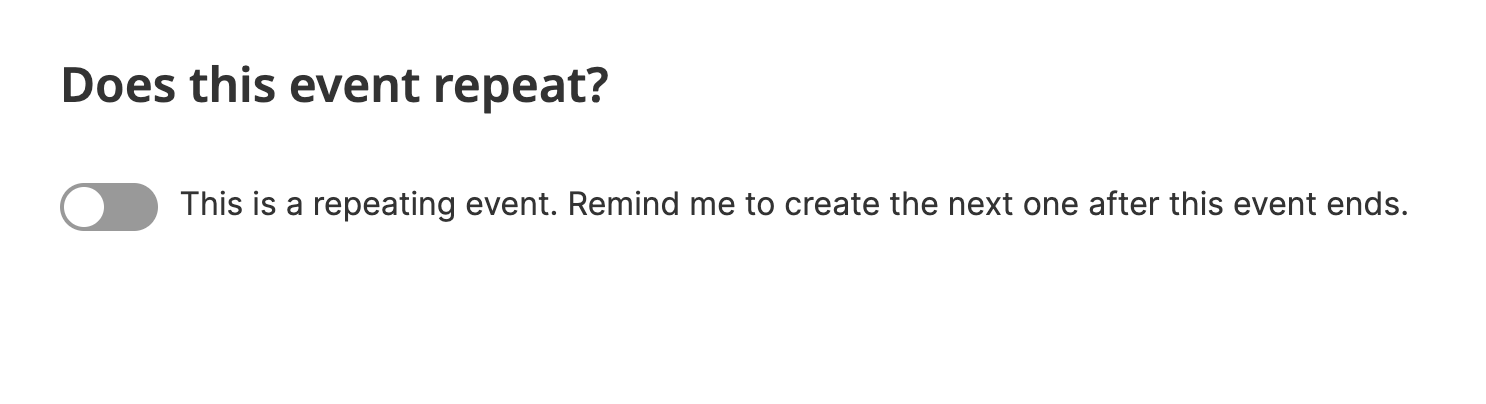
When they click the link in the email, they’ll be brought to the new event form with details prefilled from their previous event, including all event fields, cohosts, etc. Hosts can then update the details as needed before submitting their new event. After submitting their event, the host will also see a prompt to promote their new event to their previous attendees – making it easier to ensure that they have the best attendance possible.
Because these hosts don’t have special permissions, the event they submit will still need to be reviewed and approved by moderators.
Recurring events are more automatic and allow organizers to schedule a series of events in advance. Recurring events are reserved for users with special permissions: group leaders, org admins, and partner admins with the appropriate permissions. For these users, the new event form will now include a recurring event option.

Upon saving their event, we’ll create the first batch of their recurring events. We’ve implemented a batch system for these events to ensure that organizations don’t have ghost events where the host is no longer active. Instead, as the initial batch of events comes to an end, hosts will be asked if they want to extend their series by creating additional events. They’ll just need to click a link in an email to confirm we should generate the next batch.
These recurring events can be particularly useful for groups that hold regular meetings, organizations running ongoing trainings, or campaigns and organizations coordinating an ongoing series of actions like phonebanks.
Recurring events look like other events on the platform, but they include a badge designating them as being part of a recurring event series. Users who click the badge will be brought to the event series page, which lists all upcoming events.
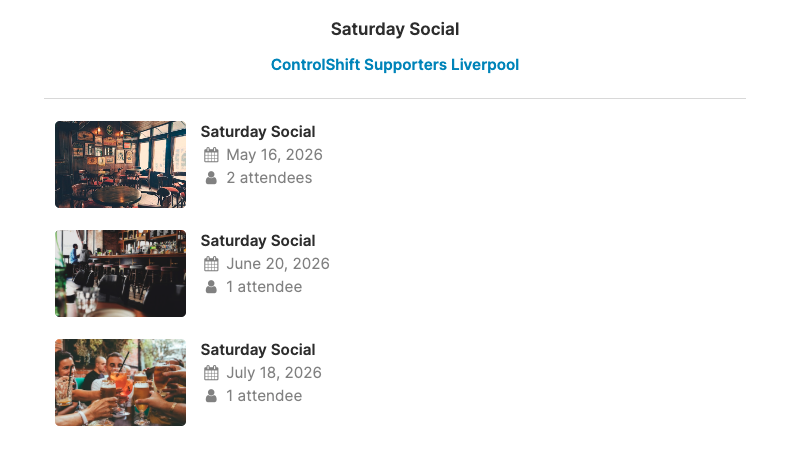
Together we hope that these features make it easier to sustain regular event organizing while also accommodating different levels of organizer permissions. By making it easier to organize events on a regular basis, we hope to help organizations spend less time managing event logistics and more time supporting the people who make their campaigns possible. We’re excited to already see these tools powering things like monthly meetings, postcard writing nights, craft circles, and happy hours.
If you have any questions about the new events options, just let us know!