Build Community with Updated Local Group Features
From the beginning, ControlShift has been dedicated to the idea that the organizations and movements we support are most powerful when supporters take the lead – using their authentic voices and experiences to drive movements forward. At ControlShift’s inception, opportunities for member leadership were limited to online petition campaigns. As we grew, we added events and groups – allowing supporters to take their actions offline and into the real world.
The local groups toolset was built to make space for longer-running, sustained supporter-led actions. These local groups allow supporters to meet their neighbors, build connections, and keep working toward progress together beyond the bounds of a single petition or event. We think that the ability to build real community among supporters is incredibly powerful and especially important given the scale of the fights we’re all working on.
We’ve spent the last few months working to make the groups tools more powerful and more user friendly. This has been a huge project – overhauling most of the existing group pages and adding new functionality for group organizers. While we’re not done making improvements, we wanted to share some of the exciting updates that we’ve rolled out recently.
New Group Page Designs
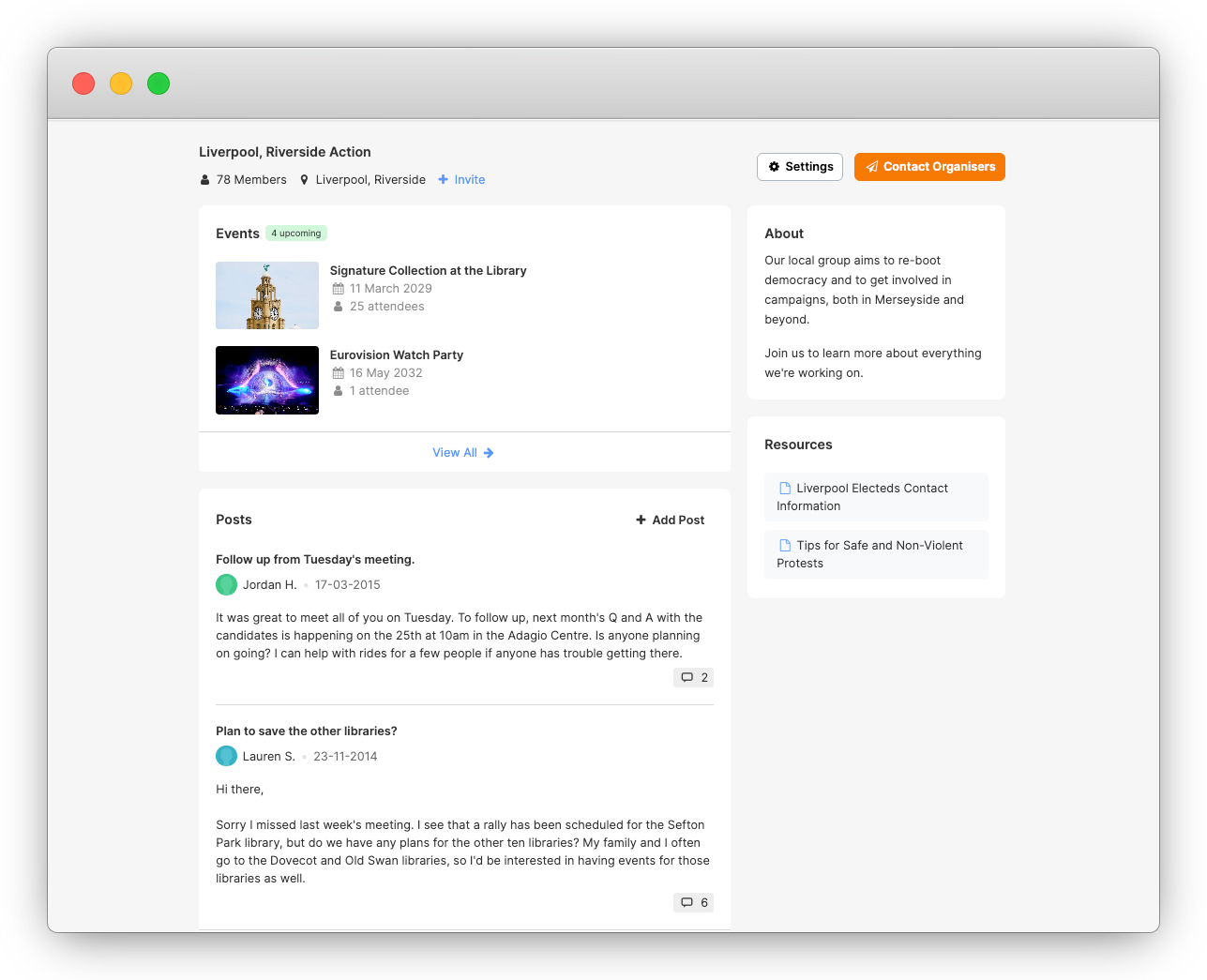
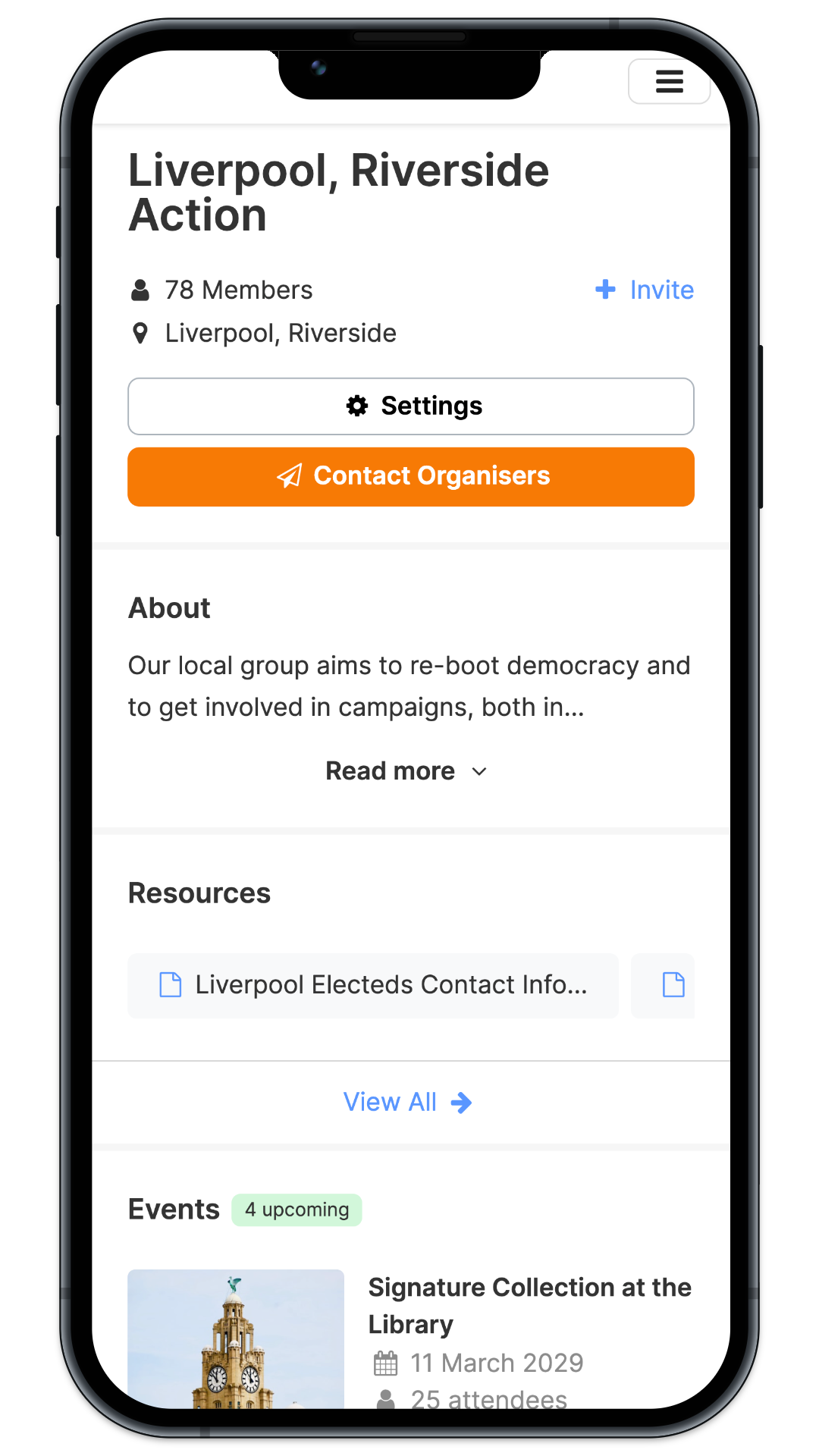
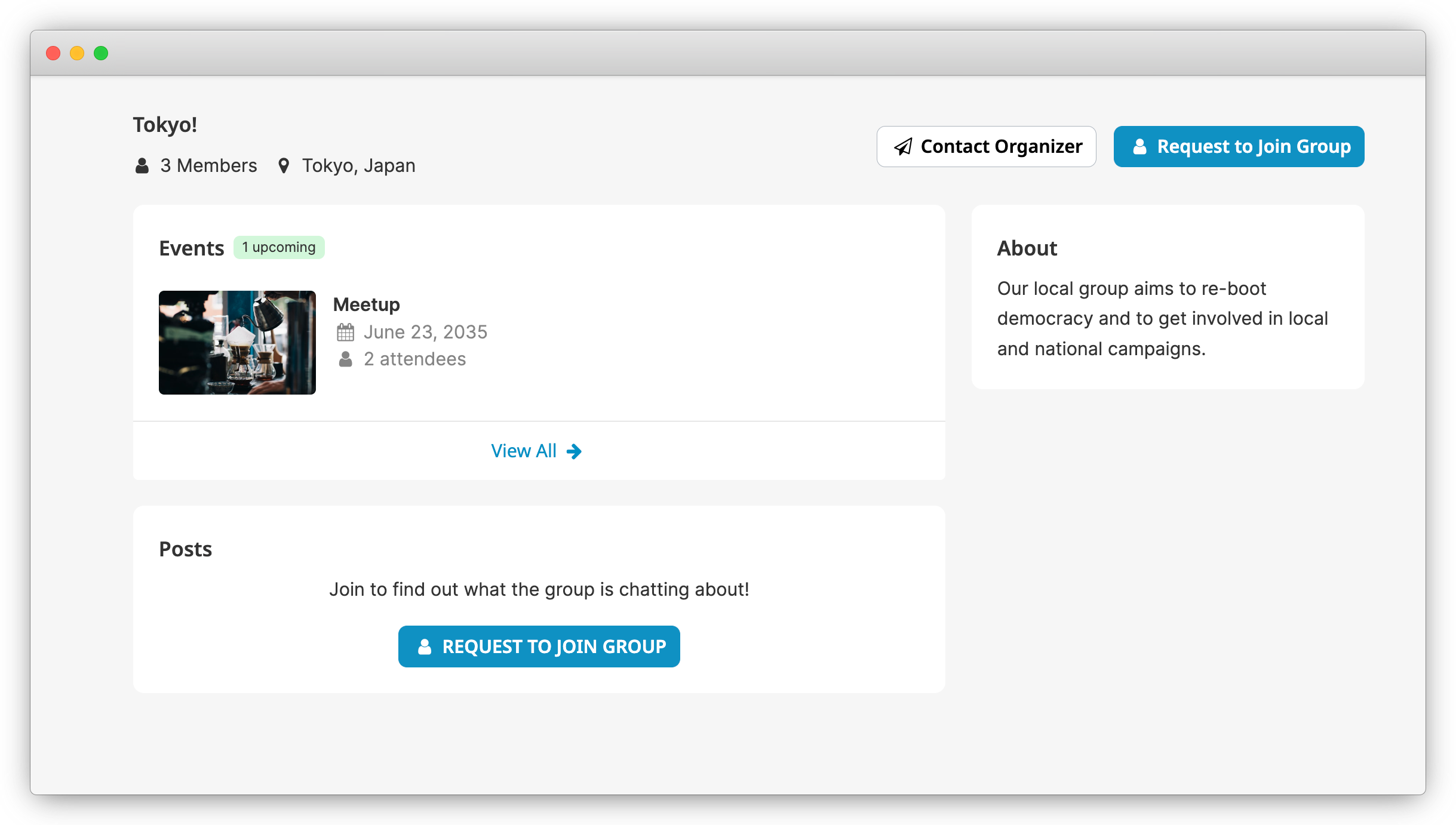
The most visible set of changes are redesigned and modernized group pages for members and organizers. We worked with a design firm for user research and design improvements. The new designs are cleaner, more modern, and easier to interact with especially for mobile users.
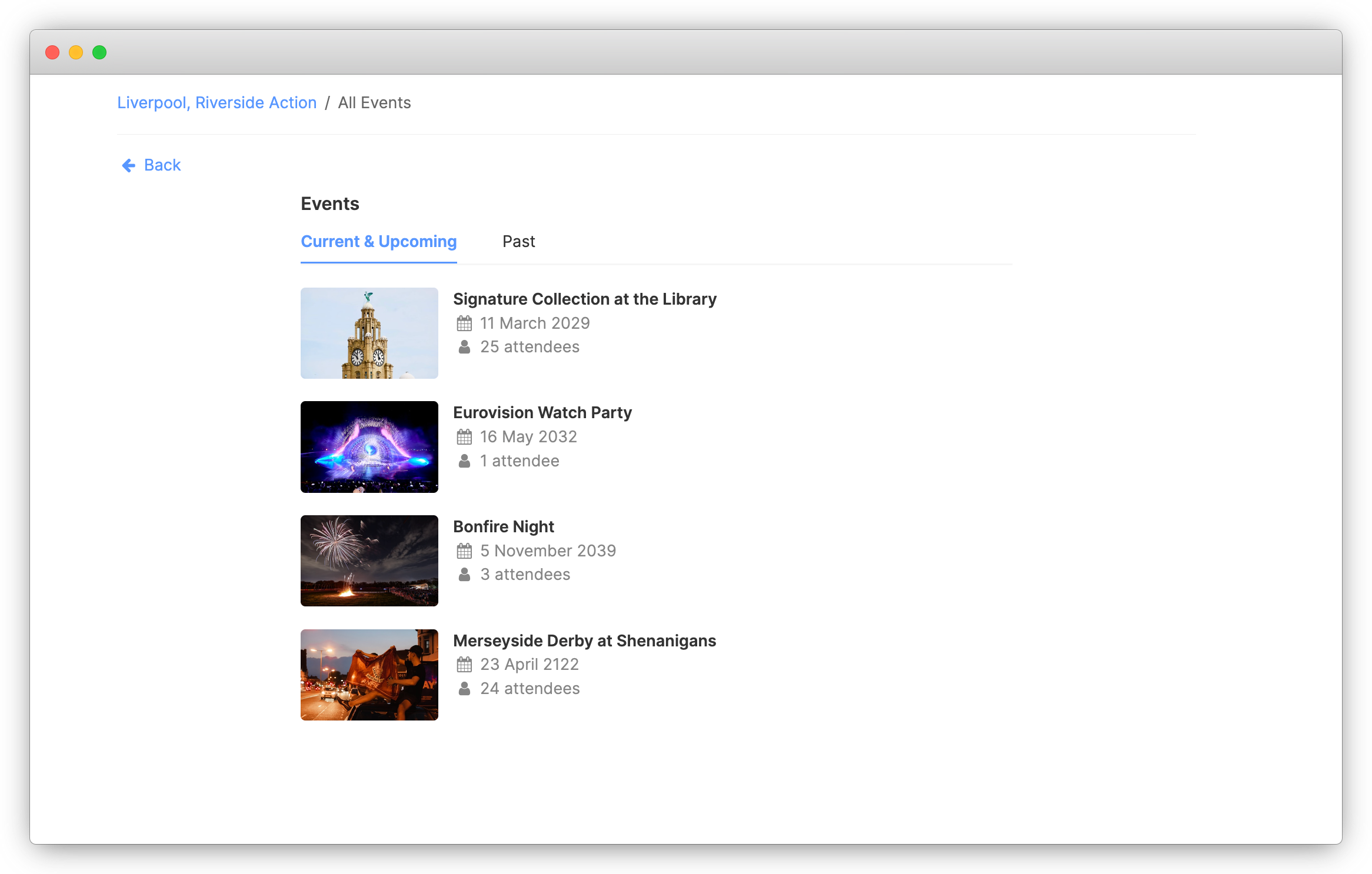
We also wanted to be sure we were highlighting group’s offline actions more effectively. The new designs have dedicated pages showcasing upcoming (and past) events, along with active (and ended) petitions. These new pages ensure that existing and prospective group members can see the various ways the group is taking action in their community.
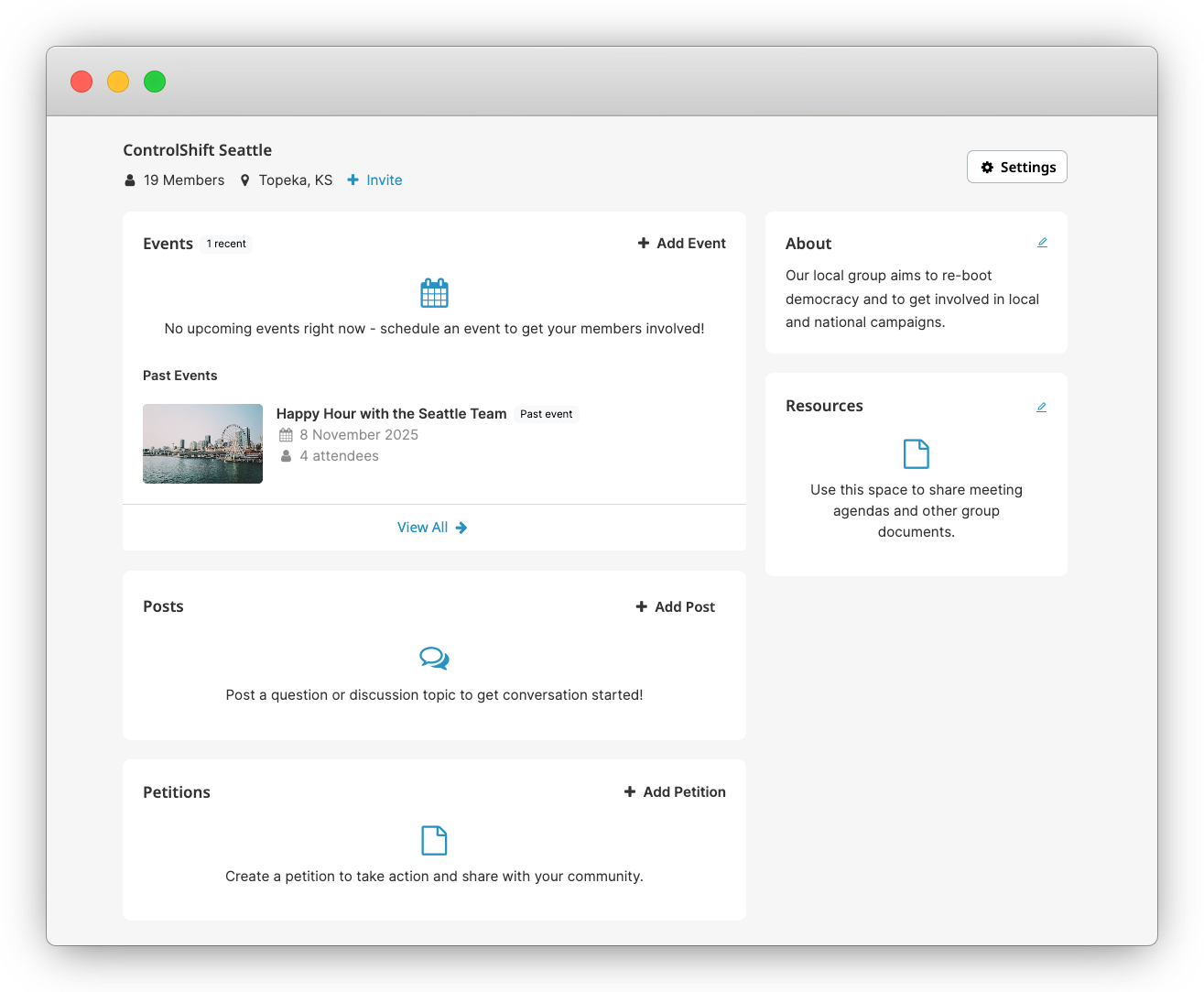
Maintaining a group’s momentum can be difficult, so we wanted to also include encouragement and tips for organizers. In the new designs, organizers will see prompts to create new events, petitions, resource pages, and posts.
We’ve also moved resources up the page when present. This allows the organizer-created, evergreen pages to be more easily accessible for group members.
We welcome you to join a group and take a look around to see all of the new designs!
New Functionality
While the refreshed designs are the most obvious changes to groups, our recent releases have also included new functionality to make groups more powerful. Here are some of the updates:
- Blast Emails: One of our most requested group features is now here! The blast email functionality allows organizers to send longer messages (or messages that don’t make sense for a forum post) to their members. This functionality can be used for things like newsletter updates, report backs from events or meetings, etc. Group members can also adjust their subscription to newsletter-only.
- Closed Groups: We now support closed groups for extra security. While open groups allow anyone to join the group immediately, closed groups require prospective members to submit an application to join the group which can be approved or rejected by the group organizer. This setting can be helpful for groups working on contentious issues or in difficult political environments.
- Banned Members: We’ve tightened banned member settings, which can be helpful when a user is causing issues on the platform. The updated rules will also prevent banned members from RSVPing to events (or signing petitions) and being added as listening members of the group.
- Notifications: We’ve added additional emails to open group organizers, ensuring that they know when they have new group members.
- Targeted Broadcasts: We’ve updated the way broadcast posts work for admins. Previously, staff could send forum messages to all groups in the collection. Now, staff can also target the message to groups in specific regions, with (or without) specific labels, or groups assigned to specific mentors. This functionality allows organizations to more easily release specific calls to action.
- Organizer Announcements: We’ve added a new organizer announcement feature, making it easier for staff to communicate with group leaders from within the platform. The new feature allows organizations to share info with the group leaders only, potentially targeted to the leaders of groups in specific regions. This may be useful for more complicated calls to action or suggestions that shouldn’t be shared with the full group.
- Better Intros: Group collections now support multiple membership questions, allowing organizers and staff to more easily get to know the people joining groups.
We’re so excited to announce all of these changes to groups, and there’s more to come! If you’re interested in bringing groups functionality to your organization, get in touch!
Attributions for Event Images in Screenshots:
Royal Liver Building Event Image by Conor Samuel on Unsplash
Stage Event Image by Vivu Vietnam on Unsplash
Fireworks Event Image by Mario La Pergola on Unsplash
Man with Liverpool Flag Event Image by Shaun Donnelly on Unsplash
Seattle Event Image by Felipe Galvan on Unsplash
Coffee Event Image by Karl Fredrickson on Unsplash